
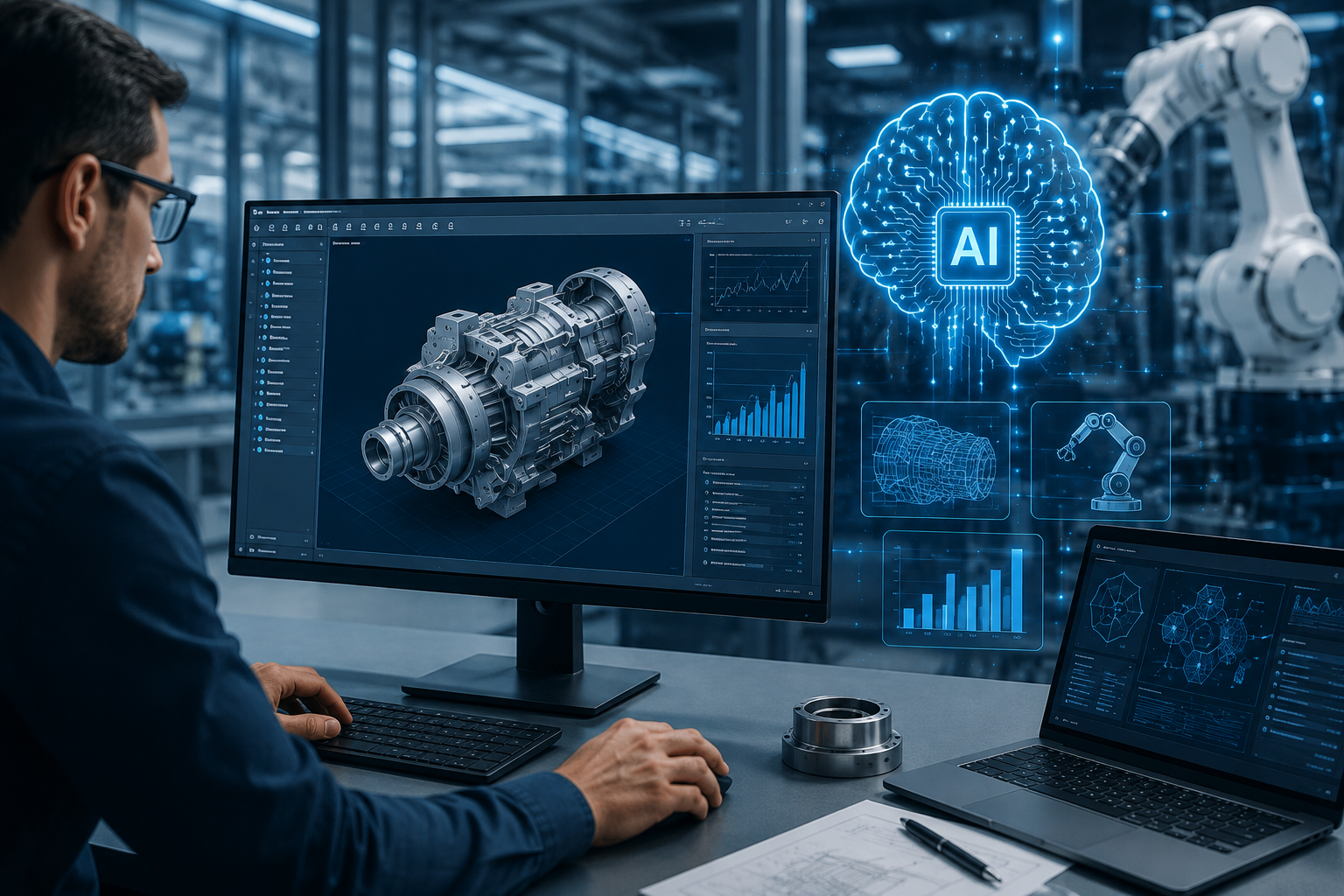
AI Is Transforming Mechanical Design and Manufacturing Software: If you’ve touched a CAD system, a simulation tool, or a shop-floor scheduling app in the last two years, you’ve probably noticed something: the software is starting to think alongside you. AI in mechanical design isn’t a future trend anymore — it’s sitting inside the tools engineers already use, from SolidWorks and Fusion to Siemens NX and Ansys Mechanical.
This guide answers the question a lot of engineers, plant managers, and software buyers are asking right now: what does AI in manufacturing actually do today, which tools are real versus roadmap slides, and how do you evaluate AI-ready manufacturing software without getting burned by marketing? You’ll get a full breakdown of how generative AI is reshaping design and production, a named comparison of the platforms leading the shift, documented results from real deployments, and a practical framework for deciding what’s worth adopting in your own engineering workflow
What “AI in Manufacturing Software” Actually Means Today
The phrase gets used loosely, so it’s worth being precise. Artificial intelligence in manufacturing today falls into three distinct categories, and confusing them is the single biggest reason buyers end up disappointed.
Three categories of AI tools in this space:
| Category | What It Does | Examples |
| AI-native standalone tools | Built from the ground up around machine learning, no legacy codebase | Zoo.dev, AdamCAD, DraftAid, MecAgent |
| AI copilots layered on legacy platforms | Chat-based or suggestion-based assistants added to existing CAD systems | SolidWorks AURA, Onshape AI Advisor, Siemens NX AI Chat |
| AI-driven factory and operations systems | Machine learning applied to production data, quality, and scheduling | Siemens Opcenter, Rockwell FactoryTalk, Hexagon Manufacturing Intelligence |
Each category solves a different problem. A generative design engine that reshapes a bracket has nothing in common, technically, with a computer vision system spotting weld defects on a line — but both get lumped under “AI in manufacturing” in marketing copy. Knowing which bucket a tool sits in tells you what to actually expect from it.
Machine Learning vs. Generative AI vs. Agentic AI — Why the Distinction Matters for Engineers
These three terms get thrown around interchangeably, but they behave differently inside engineering software:
- Machine learning models are trained to recognize patterns in existing data — think predictive maintenance models that flag a bearing about to fail, or surrogate models that predict simulation results without running a full solver.
- Generative AI creates new content — geometry, code, or documentation — from a prompt or a set of constraints. This covers everything from topology optimization to text-to-CAD tools.
- Agentic AI goes a step further: it doesn’t just generate an output, it takes multi-step actions inside a piece of software on your behalf, often through a CAD software connection like the Model Context Protocol (MCP).
Understanding which type of AI models you’re dealing with matters because it sets realistic expectations. A machine learning-based defect detection system on a production line is a mature, well-proven technology. An agentic AI system driving your CAD tool through a full assembly is, as of 2026, still an early-stage capability with real limitations.
AI in the Design Phase — Changing How Engineers Model and Iterate
This is where AI in mechanical design has matured fastest, largely because CAD vendors have spent a decade building the data pipelines — parametric histories, simulation results, manufacturing constraints — that AI models need to be useful.
Generative Design and Topology Optimization
Generative design flips the traditional design process. Instead of an engineer sketching a shape and then testing it, the engineer defines objectives — minimum weight, maximum stiffness, a keep-out zone, a manufacturing method — and the software generates dozens or hundreds of design alternatives that satisfy those constraints.
Topology optimization is the mathematical engine underneath most generative design tools. It removes material from a design space based on load paths, leaving only the structure actually doing mechanical work. The result is often an organic, lattice-like shape that a human designer would rarely arrive at through traditional design iteration.
The results, when documented, are substantial. According to McKinsey’s analysis of generative design deployments across automotive, aerospace, and sporting goods manufacturers, generative algorithms have reduced part cost by 6 to 20 percent, part weight by 10 to 50 percent, and development time by 30 to 50 percent. In one case cited by McKinsey, a power-tool manufacturer used generative design to cut a die-cast support bracket’s weight by 26 percent and its cost by 8 percent, without changing how the part interfaced with the rest of the assembly. A separate die-forged component saw a roughly 40 percent weight reduction — a full kilogram off the finished product.
Academic case studies on aerospace component design back this up with even more dramatic numbers. Research applying generative design to an A380 landing gear door bracket and a jet engine bracket documented weight reductions as high as 48 to 54 percent while still meeting technical and geometric requirements. A separate study on spur gear bodies found generative workflows could cut mass by 37 to 46 percent depending on the manufacturing route (additive, machining, or casting) while keeping deformation within acceptable limits.
Key takeaway: Generative design isn’t a novelty feature anymore. Across multiple independent studies, weight reductions in the 20 to 50 percent range on structural components are common and repeatable — but they only hold up when manufacturing constraints are built into the optimization, not bolted on afterward.
Ansys GeomAI, introduced in the Ansys 2026 R1 release, pushes this further by learning from a library of reference designs to generate entirely new geometric concepts, rather than only optimizing an existing shape. This represents a shift from optimization-based generative design toward true design exploration driven by learned design intent.
Text-to-CAD: Where It Works and Where It Doesn’t
Text-to-CAD is the most talked-about — and most misunderstood — category of AI-driven design tools in 2026. The premise is simple: describe a part in natural language, get back a 3D model.
The reality is more nuanced. Zoo.dev, one of the earliest and most capable players, generates geometry through a combination of AI inference and procedural modeling built on an open-source geometry engine. Other tools in this space include AdamCAD, aimed at browser-based rapid prototyping, and CADAgent, which targets simple Fusion 360 parts.
The honest assessment from engineers actively tracking this category: text-to-CAD tools are genuinely useful for concept exploration and early-stage ideation — visualizing a rough idea in seconds instead of twenty minutes of manual sketching. What they are not yet reliable for is production-grade geometry with tight tolerances, complex assemblies, or manufacturing-ready output. Zoo’s own research team has been candid about why: CAD modeling is an intent-based workflow. An AI system has to generate coherent design intent — feature-by-feature construction with constraints and relationships — and then support follow-up edits without breaking that intent. Direct geometry generation methods borrowed from image and text generation research (like DeepCAD and BRepGen) largely fail to produce that kind of editable, engineer-usable output.
Practical guidance for text-to-CAD:
- Use it to generate a rough starting shape and save 20 to 30 minutes of initial sketching, then refine manually.
- Treat any AI-generated geometry as a draft — it still needs manufacturability review.
- Export as STEP for the cleanest handoff into a full CAD environment.
- Don’t expect production-ready assemblies from a single prompt in 2026.
AI Copilots Inside Existing CAD Platforms
Rather than replacing CAD software, most vendors have layered intelligent CAD assistants directly into their existing tools. This is the category seeing the fastest real-world adoption because it doesn’t require engineers to change platforms.
| Platform | AI Assistant | What It Does |
| Dassault SolidWorks | AURA | Error diagnosis, design suggestions |
| PTC Onshape | AI Advisor | Guided learning and command help |
| Autodesk Fusion | Autodesk Assistant / Neural CAD | Text-driven feature suggestions inside the parametric timeline |
| Siemens NX | NX AI Chat / Industrial Copilot | Natural-language navigation and modeling help |
| PTC Creo | Creo AI Assistant | In-context modeling guidance |
Autodesk’s approach illustrates the current state well: describe a feature in Fusion, and the AI suggests geometry that sits inside a real parametric timeline, meaning you can edit it like any manually-created feature. The tradeoff, reported consistently by users, is that these AI suggestions tend to be conservative — an experienced modeler can often produce the same geometry faster by hand. Autodesk’s more ambitious Neural CAD initiative claims it will eventually automate 80 to 90 percent of routine design tasks, though as of 2026 that remains a roadmap commitment rather than a shipped, verified capability.
Agentic AI and MCP-Connected Design Tools
A newer and genuinely distinct capability is agentic AI connecting directly to CAD software through the Model Context Protocol (MCP) — an open standard that lets large language models interact with external applications. Instead of a chatbot embedded inside the CAD tool, an LLM outside the tool can issue commands to it, read back the model state, and iterate.
This matters because it decouples the AI models doing the reasoning from the CAD vendor’s own AI roadmap. An engineer can, in principle, use a general-purpose AI assistant to drive modeling operations inside Fusion or another MCP-connected tool, describing a change conversationally and watching it execute. This is still an emerging capability in 2026, best suited to well-defined, repetitive modeling tasks rather than complex, judgment-heavy design work.
AI-Assisted FEA and Simulation
Finite Element Analysis (FEA) and computational fluid dynamics (CFD) are where AI’s speed advantage is most measurable, because the underlying problem — predicting physical behavior from geometry and boundary conditions — is exactly what surrogate models are good at.
Ansys SimAI, launched in January 2024 and significantly expanded in the 2026 R1 release, trains machine-learning models on prior three-dimensional simulation results and then predicts physics-based outcomes — mechanical, thermal, fluid — for new geometries without running a full solver. Ansys reports that SimAI enables engineers to test design alternatives roughly 10x to 100x faster than traditional solvers allow, making predictive simulation accessible to designers who aren’t simulation specialists. Typically, 30 to 100 prior simulation results are enough to train a model with sufficient accuracy, with training time tunable between one and five days depending on the use case.
The 2026 R1 release split SimAI into two tiers: SimAI Premium, a full cloud-scale offering, and SimAI Pro, a desktop version for local training and prediction on workstation GPUs — a direct response to companies wanting simulation acceleration without sending sensitive design data to the cloud.
A concrete, publicly documented example: Sumitomo Riko, a global manufacturer of high-performance rubber automotive components, adopted Ansys SimAI to accelerate simulation workflow for anti-vibration design, battery cooling, magnetic field analysis, and heat transfer analysis. The company reported simulation speed improvements of over 10x compared to traditional simulation methods, while strengthening the product lifecycle management connection between design and manufacturing.
Other vendors are building similar surrogate models. Neural Concept and Monolith AI occupy what one industry buyer’s guide calls the “velocity layer” of the simulation market — AI-driven geometry-to-performance prediction tools that sit alongside, not instead of, certified physics solvers. It’s an important distinction: AI-powered simulation accelerates design exploration, but for certified programs (aerospace, medical devices, pressure vessels), validated physics-based solver output is still required for final sign-off.
Automated Drawing Generation and Documentation
Despite decades of “paperless engineering” promises, 2D drawings remain the legal and contractual currency of manufacturing — they define tolerances, surface finishes, and inspection criteria that a 3D model alone doesn’t communicate to a machinist or quality inspector.
DraftAid, which integrates with SolidWorks and Autodesk Inventor, automates this specifically: applying consistent dimensions, views, and drafting standards to generate 2D fabrication drawings from 3D parts. DraftAid reports reducing drawing time by up to 90 percent — a significant gain given that documenting a single complex part can otherwise take hours. Its more interesting technical feature is style learning: the AI trains on a company’s existing drawing set to replicate house-specific dimensioning conventions, such as ordinate versus baseline dimensioning and title block formatting, rather than imposing a generic standard.
MecAgent approaches documentation and repetitive CAD work differently, turning plain-English requests into executable macros for SOLIDWORKS and Autodesk Inventor. It offers a limited free tier (30 credits/month on SOLIDWORKS), with paid plans starting around $84/month for 200 credits and scaling to roughly $417/month for 1,500 credits with unlimited execution time and admin controls, plus quote-based enterprise pricing for on-premise or private-cloud deployment.
AI in Manufacturing Operations — From Planning to the Shop Floor
Design-phase AI gets most of the attention, but AI in manufacturing operations — the shop floor, the supply chain, the quality lab — is where the financial impact is often largest, because it touches recurring production costs rather than one-time design work.
AI-Based Process Planning and CAM Programming
Process planning — deciding machining sequences, tool paths, fixturing, and cycle times — has traditionally depended on the tribal knowledge of experienced programmers. AI-based process planning tools now analyze part geometry, material, and tolerances to recommend CAM programming strategies automatically, cutting the time between a finalized CAD model and a machine-ready program. This shortens the design-to-production workflow significantly for shops that produce high part variety in low volumes, where manual programming time often exceeds actual machining time.
Predictive Quality and Defect Detection
Computer vision paired with machine learning has become one of the most mature applications of industrial AI. Cameras mounted on production lines feed images to trained models that flag surface defects, weld inconsistencies, or dimensional deviations in real-time monitoring, often faster and more consistently than manual visual inspection.
This category benefits from a straightforward value proposition: defect detection systems don’t need to be perfect, they need to catch more defects, faster, than the inspection process they’re replacing or augmenting. Because the underlying computer vision techniques are well-established (unlike, say, generative CAD), this is one of the lowest-risk entry points into industrial AI for manufacturers just starting their digital transformation.
Predictive Maintenance and Equipment Uptime
Predictive maintenance applies machine learning to sensor data — vibration, temperature, current draw — from production equipment to forecast failures before they cause unplanned downtime. Unlike scheduled preventive maintenance, which services equipment on a fixed calendar regardless of actual condition, predictive models flag equipment based on its actual degradation pattern, reducing both unnecessary maintenance and unplanned failures.
AI for Supply Chain, Sourcing, and Material Selection
Supply chain optimization tools use AI to model sourcing risk, lead-time variability, and cost across suppliers, while material selection tools increasingly incorporate AI to recommend materials against manufacturing constraints like cost, availability, and process compatibility — a task that used to rely heavily on individual engineers’ memorized material databases.
AI-Powered Digital Twins and Industrial Simulation
Digital twins — live, data-connected virtual replicas of physical assets or entire facilities — represent the point where design-phase AI and operations-phase AI genuinely converge.
Siemens has pushed hardest on this front. Its Digital Twin Composer software, announced at CES 2026 and slated for availability on the Siemens Xcelerator Marketplace in mid-2026, is built on an expanded partnership with NVIDIA combining Digital Twin Composer, NVIDIA Omniverse libraries, and computer vision to recreate physical facilities — machines, conveyors, pallet routes, operator paths — with physics-level accuracy. Ansys TwinAI takes a parallel approach, integrating physics-model accuracy with real-world data insights powered by AI techniques.
A documented real-world deployment: PepsiCo is using Siemens’ Digital Twin Composer to simulate facility upgrades at U.S. plants, with plans to scale the approach globally. Siemens reports that this digital twin approach has already delivered a 20 percent increase in throughput on initial deployment, alongside near-100 percent design validation and 10 to 15 percent reductions in capital expenditure by identifying hidden capacity and validating investments virtually before committing capital.
Siemens is also rolling out an expanded set of industrial copilots — nine new AI-powered assistants spanning Teamcenter, Polarion, and Opcenter — designed to streamline product data navigation, automate compliance workflows, and improve manufacturing execution. The flagship Siemens Industrial Copilot, developed jointly with Microsoft, is a generative AI assistant that helps generate automation code and diagnose faults through natural language — described by Siemens as the first generative AI assistant built explicitly for industrial environments.
Key Software Platforms and Tools Bringing AI to Engineering
Not every vendor claiming “AI-powered” software is at the same stage of maturity. Here’s how the landscape actually breaks down as of 2026.
Legacy CAD/PLM Platforms Adding AI
Autodesk Fusion / Inventor
Fusion offers AI-assisted feature suggestions inside its parametric modeling environment and text-driven modeling through the Autodesk Assistant. The more ambitious Neural CAD initiative, targeting automation of 80 to 90 percent of routine design tasks, is still rolling out.
Siemens NX, Teamcenter, and the Industrial Copilot
Siemens has built the most extensive AI portfolio of any legacy CAD/PLM vendor, spanning NX AI Chat for modeling assistance, nine new copilots across Teamcenter, Polarion, and Opcenter, and the broader Siemens Industrial Copilot for shop-floor code generation and diagnostics.
PTC Creo + Windchill
Creo’s AI Assistant provides in-context modeling guidance, with Windchill handling the product lifecycle management side of the workflow.
Dassault Systèmes SolidWorks (AURA)
SolidWorks AURA focuses on error diagnosis and design suggestions — one of the more consistently useful copilots reported by working engineers, alongside SolidWorks’ broader AI-based error diagnosis capabilities.
Onshape AI Advisor
Onshape’s cloud-native architecture made it a natural fit for an AI advisor focused on teaching the platform itself — command discovery and guided learning rather than geometry generation.
AI-Native and Emerging Tools
Zoo.dev / Text-to-CAD
The most capable dedicated text-to-CAD platform as of 2026, built on an open-source geometry engine (originally launched under the name KittyCAD). Its Zookeeper conversational agent extends this into a broader parametric modeling assistant, and outputs export cleanly to STEP, STL, OBJ, and several other formats.
AdamCAD
Positioned for browser-based rapid prototyping and quick iteration on simple geometry.
DraftAid
Purpose-built for automating 2D drawing generation, with documented drawing-time reductions of up to 90 percent and style learning from a company’s existing drawing conventions.
MecAgent
Turns natural-language requests into executable CAD macros for SOLIDWORKS and Autodesk Inventor, aimed at eliminating repetitive in-CAD operations without requiring engineers to hand-write macro code.
Leo AI
Focused on assembly generation and engineering knowledge retrieval, including citing technical sources when answering engineering questions.
Simulation, Analysis, and Manufacturing Execution Platforms
Ansys (SimAI, GeomAI, and the Engineering Copilot)
Ansys’s 2026 R1 release is its most substantial AI expansion to date: SimAI for simulation acceleration via surrogate models, GeomAI for AI-generated design concepts, Direct Morphing for faster mesh-based workflows, and an Engineering Copilot embedded across Mechanical, Discovery, Fluent, HFSS, and other modules.
Neural Concept
An AI-driven geometry-to-performance prediction platform occupying the same “velocity layer” of the simulation market as Ansys SimAI, aimed at making predictive simulation accessible earlier in the design cycle.
Altair HyperWorks
A long-established simulation suite that has incorporated AI-driven optimization and design exploration capabilities alongside its traditional solver stack.
Siemens Opcenter
Siemens’ manufacturing execution system (MES), now receiving one of the company’s nine new AI copilots to automate compliance processes and improve manufacturing process efficiency.
Rockwell Automation FactoryTalk
A leading industrial automation and shop floor software suite incorporating AI-driven analytics for production operations.
Hexagon Manufacturing Intelligence
Focused on quality control and metrology, applying AI to inspection data and manufacturing analytics.
How to Read This Landscape as a Buyer
A useful mental model, drawn from how engineers actually track this space: sort every AI claim into one of three buckets before you evaluate it.
- Things that work today and save real time: automated drawing generation (DraftAid), AI-based error diagnosis (SolidWorks AURA), Onshape AI Advisor for learning the software, surrogate-model simulation acceleration (Ansys SimAI), simple text-to-CAD for concept geometry (Zoo.dev), macro automation (MecAgent).
- Things that are shipping but still immature: most vendor chatbots, text-to-command features, AI-generated production-ready assemblies.
- Things that are mostly marketing in 2026: any claim that AI can fully replace an experienced CAD engineer, or that a tool is “AI-native” without a clear technical explanation of what that means.
Real-World Results — What Companies Are Actually Seeing
Documented Time and Cost Savings
The strongest return on investment (ROI) signals in this space come from companies willing to publish specific numbers rather than vague efficiency claims. A summary of the verifiable results referenced throughout this article:
| Company / Study | Tool | Result |
| Sumitomo Riko | Ansys SimAI | Over 10x faster simulation vs. traditional methods |
| PepsiCo (via Siemens) | Digital Twin Composer | 20% throughput increase, ~100% design validation, 10–15% capex reduction |
| McKinsey cross-industry analysis | Generative design tools | 6–20% part cost reduction, 10–50% weight reduction, 30–50% faster development |
| Power-tool manufacturer (McKinsey case) | Generative design | 26% weight reduction, 8% cost reduction on a bracket |
| Aerospace bracket research | Generative design + topology optimization | Up to 48–54% weight reduction |
| DraftAid case studies | AI drawing automation | Up to 90% reduction in drawing time |
“The use of a surrogate model developed in Ansys SimAI is significantly faster compared to traditional simulation.” — Digital Engineering 24/7, on the shift toward AI-driven simulation workflows.
Where Results Fall Short of the Marketing
Not every AI claim in this industry holds up under scrutiny. Independent trackers of the AI CAD space have found that most vendor chatbots and many “coming soon” features remain aspirational, and that claims of AI fully replacing a CAD engineer are, in the words of one industry blog tracking the space since 2024, “mostly marketing.” The honest pattern across the industry: AI tools that automate a narrow, well-defined task (drawing generation, error checking, simulation acceleration) consistently deliver measurable results, while broad claims of end-to-end automated design remain unproven at production scale.
Challenges and Limitations Engineers Should Know
Data Dependency and Training Data Quality
Every machine learning and surrogate model approach depends entirely on the quality and volume of historical data it’s trained on. Ansys SimAI, for example, typically needs 30 to 100 prior simulation results to build an accurate model — meaning companies without a substantial archive of past simulation data start at a real disadvantage. Training data quality issues (inconsistent labeling, missing edge cases, biased sampling toward “easy” designs) silently degrade model accuracy in ways that aren’t obvious until the model fails on a novel case.
The Generative Design Manufacturability Gap
Generative design tools optimize for the objectives you give them — weight, stiffness, stress — but they don’t automatically know your shop’s manufacturing constraints unless you explicitly encode them. A generatively designed part optimized purely for weight might be un-machinable, require impossible tooling access, or only be producible via additive manufacturing when the production plan calls for casting. This is the single most common failure mode reported across generative design case studies: strong simulated performance paired with a design that manufacturing engineering has to substantially rework before it can actually be built. Design for manufacturability (DFM) review remains a mandatory human step, not an optional one.
Integration Complexity With Existing PLM/ERP Systems
AI tools rarely exist in isolation — they need to plug into an existing engineering stack: PLM systems, ERP, MES, and version control. Software integration between a new AI tool and legacy enterprise systems is consistently underestimated in project timelines, and it’s one of the leading causes of stalled AI pilots that never reach production deployment.
Adoption, Trust, and the Skills Engineers Need Now
There’s a real, underdiscussed workforce dimension here. As AI-assisted CAD and AI-assisted engineering tools take over more routine modeling and documentation, the skills that make an engineer valuable are shifting — from raw modeling speed toward the ability to define good constraints, evaluate AI-generated output critically, and catch manufacturability problems an AI model doesn’t understand. Junior engineers who lean too heavily on AI-generated geometry without understanding why a design works risk skipping the foundational judgment that senior engineers rely on. Teams that treat AI as a design automation starting point — not a finishing tool — get the best outcomes, echoing Zoo’s own framing of AI as “the starter, not the finisher” in the design process.
Regulatory, IP, and Liability Questions
For regulated industries — aerospace, medical devices, automotive safety components — AI-generated or AI-optimized designs raise open questions about certification. Regulators generally still require validated, traceable physics-based analysis for sign-off, meaning AI-powered simulation speeds up exploration but doesn’t yet replace the certified analysis step. Intellectual property questions are similarly unresolved: when a generative model trained on a company’s historical designs produces a new geometry, ownership and originality can be murky, particularly for tools trained on broader, non-proprietary datasets.
What These Limits Mean in Practice
Best practices for working within current AI limitations:
- Feed manufacturing constraints into generative design tools explicitly, not as an afterthought.
- Keep a human DFM review step for any AI-generated geometry before it reaches production tooling.
- Budget real integration time for connecting AI tools to existing PLM/ERP/MES systems — don’t treat it as a plug-and-play add-on.
- Use AI-generated simulation results for design exploration, not final regulatory sign-off, unless the vendor has a validated certification pathway.
- Train engineers to critically evaluate AI output rather than accept it by default.
How to Evaluate AI-Ready Manufacturing Software
If you’re comparing vendors, a structured framework beats a feature checklist. Here’s the one that consistently surfaces real differences between mature tools and early-stage ones.
Integration Depth With Your Existing Stack
Does the AI tool sit natively inside your current CAD software, PLM, or MES — or does it require exporting data to a separate application? Native integration (like Fusion’s AI suggestions living inside the parametric timeline) preserves editability; bolt-on tools often create disconnected, unmaintainable outputs.
Model Transparency and Explainability
Can the tool explain why it generated a particular geometry or flagged a particular defect, or is it a black box? Model transparency matters enormously for regulated industries and for building engineer trust — an AI recommendation that can’t be explained is hard to defend in a design review or an audit.
Training Data Quality and Provenance
Ask vendors directly: what data was the model trained on, how much of it is yours versus generic, and how is your proprietary design data protected from crossing over into other customers’ models? This is a real, stated concern even from major vendors like Ansys, who explicitly note there’s no data crossover between customers in SimAI’s architecture.
Deployment Flexibility (Cloud, On-Prem, Hybrid)
The emergence of desktop options like SimAI Pro alongside cloud-based SimAI Premium reflects a real market need: some companies simply can’t send proprietary geometry or performance data to a third-party cloud. Deployment flexibility should be a hard requirement, not a nice-to-have, for any company with IP-sensitive designs.
Vendor Roadmap Maturity vs. Marketing Claims
Compare what a vendor is shipping today against what they’re promising for next year. A useful test: ask for a specific, named customer reference with quantified results (like the Sumitomo Riko or PepsiCo examples above) rather than accepting a generic capability demo. If a vendor can’t produce one, treat the vendor roadmap with appropriate skepticism.
A Simple Evaluation Checklist
- Does it integrate natively with your current CAD/PLM/MES stack?
- Can the AI explain its outputs (design rationale, defect classification, etc.)?
- Is there a clear answer on where your training data goes and who else can access it?
- Does it offer both cloud and on-premise/local deployment options?
- Can the vendor name a real customer with quantified, published results?
- Does it preserve editability (parametric history, feature trees) rather than producing “dumb” geometry?
- Is there a documented manufacturability or DFM check built into the workflow?
Frequently Asked Questions
Will AI replace mechanical engineers or CAD designers?
No, not in any near-term sense the current technology supports. AI tools consistently outperform manual work on narrow, well-defined tasks — drawing generation, error checking, simulation acceleration — but they still require an engineer to define objectives, evaluate manufacturability, and catch errors an AI model doesn’t understand. The role is shifting toward defining constraints and judging AI output rather than disappearing.
What’s the difference between generative design and text-to-CAD?
Generative design optimizes a shape against engineering objectives like weight and stiffness, typically starting from a defined design space and constraints. Text-to-CAD generates 3D geometry directly from a natural-language description, with far less built-in engineering rigor — it’s aimed at quick concept visualization, not optimized structural performance.
Is AI-generated geometry manufacturable out of the box?
Often not without review. Generative design tools optimize for the objectives you specify, and if manufacturing constraints (machinability, tooling access, production method) aren’t explicitly included, the output can require significant rework before it can be produced. A design for manufacturability review remains a necessary step.
Which AI CAD tools work with SolidWorks or Fusion 360 today?
DraftAid and MecAgent both integrate directly with SolidWorks and Autodesk Inventor. Fusion has its own built-in Autodesk Assistant and emerging Neural CAD features. CADAgent is built specifically for simple Fusion 360 parts. SolidWorks also has its native AURA assistant for error diagnosis and design suggestions.
How much does AI-powered manufacturing software cost?
Pricing varies enormously by tool and deployment scale. As one reference point, MecAgent’s paid plans start around $84/month for 200 credits and scale to roughly $417/month for 1,500 credits, with enterprise pricing quote-based. Larger platform-level tools like Ansys SimAI or Siemens’ industrial copilots are typically priced through enterprise licensing agreements rather than public per-seat pricing, and often require a direct vendor conversation to scope cost against your specific use case.
Conclusion
AI in mechanical design and manufacturing software has moved past the hype-cycle stage into measurable, if still uneven, production use. The clearest wins right now are narrow and well-scoped: generative design delivering documented 20-to-50-percent weight reductions, AI-powered simulation cutting analysis time by 10x or more through surrogate models, automated drawing generation saving up to 90 percent of documentation time, and digital twins driving double-digit throughput gains in real factory deployments.
The gaps are just as real: text-to-CAD tools that excel at concept sketches but aren’t ready for production geometry, a persistent manufacturability gap between optimized designs and what a shop can actually build, and integration work that consistently takes longer than vendors suggest. The engineers and companies getting the most value aren’t the ones chasing every new AI feature — they’re the ones matching a specific tool to a specific, well-understood bottleneck in their engineering workflow, verifying vendor claims against named, quantified results, and keeping human judgment in the loop wherever manufacturability, safety, or certification is on the line.

1 thought on “How AI Is Transforming Mechanical Design and Manufacturing Software”